How it works
One job, from the first photo to the review
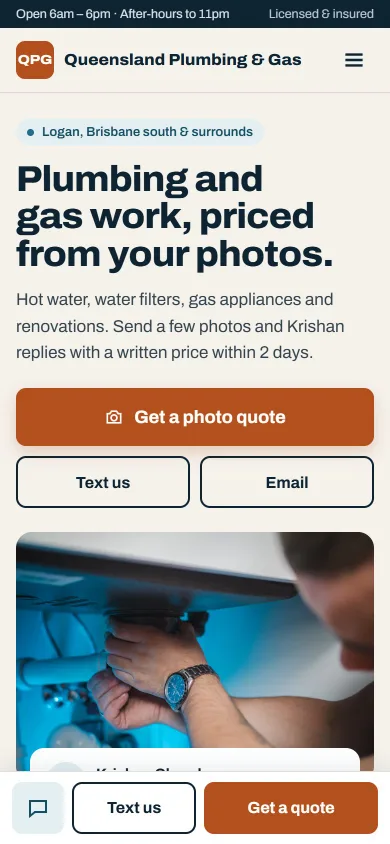
In short: your customer sends photos from your website, the AI drafts a quote from your rates, you approve it on your phone, the customer books with one tap, and the system handles the texts, the calendar, the summary and the review. These are the real screens from the system we built for Queensland Plumbing And Gas.
1 · The customer asks
A quote from photos, in about three minutes
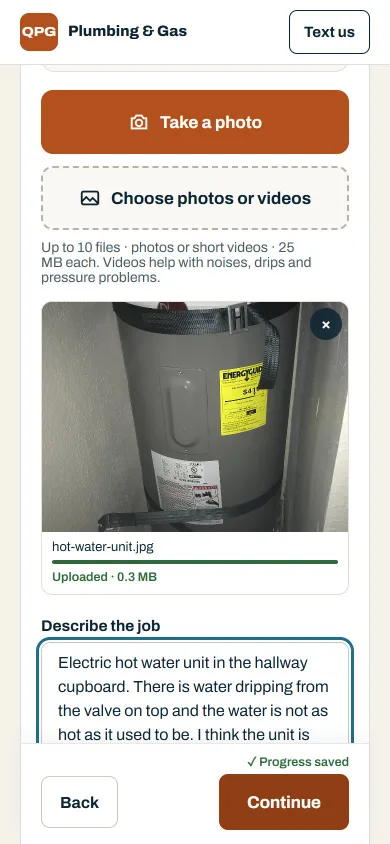
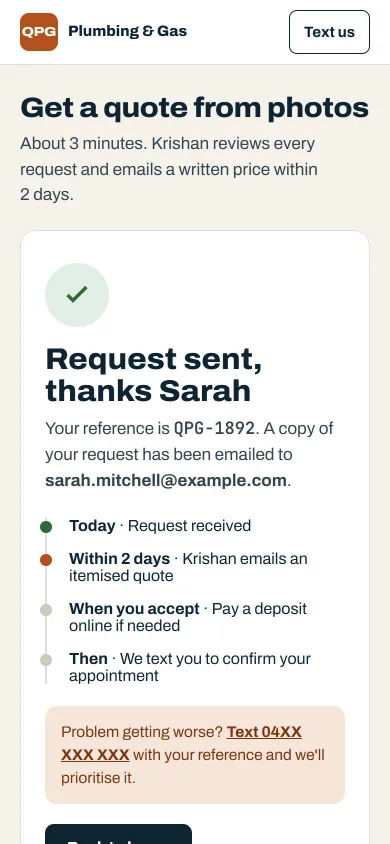
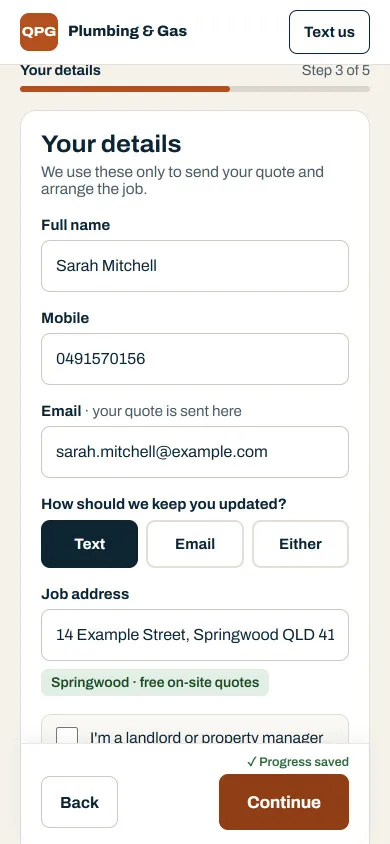
Sarah's hot water unit is dripping. On her phone she picks the kind of job, and the form tells her exactly what to photograph for it. She describes the problem in her own words, adds her details and solves a small pipe puzzle that keeps spam robots out. No phone call, no waiting on hold.
Jobs you don't take on are named up front, so nobody wastes their time.
2 · The AI drafts, you decide
A draft price waiting on your phone
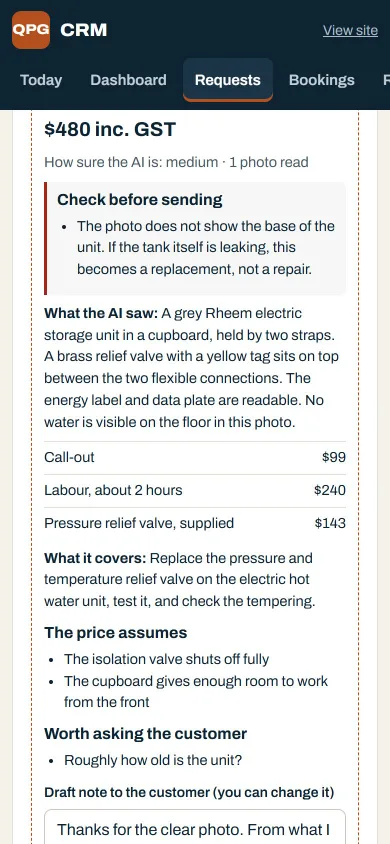
While you're on another job, the AI reads her photo and description and drafts a price from your rates: what it could see, how the price adds up, and what you should check. It never sees her name, phone number, email or street address.
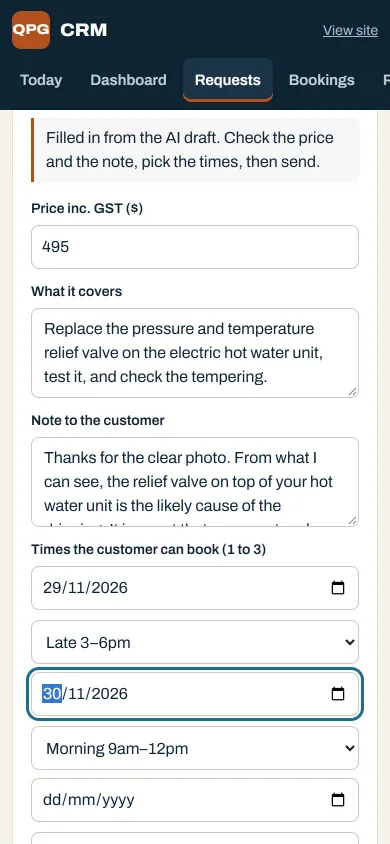
You open it, change what you like (here, a tight cupboard means $495, not $480), pick two times and send. Nothing reaches the customer until you do.
3 · The customer books
One price, one tap, in your calendar
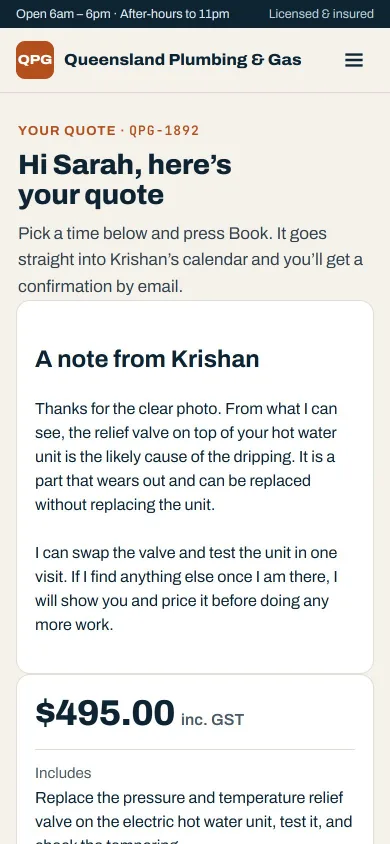
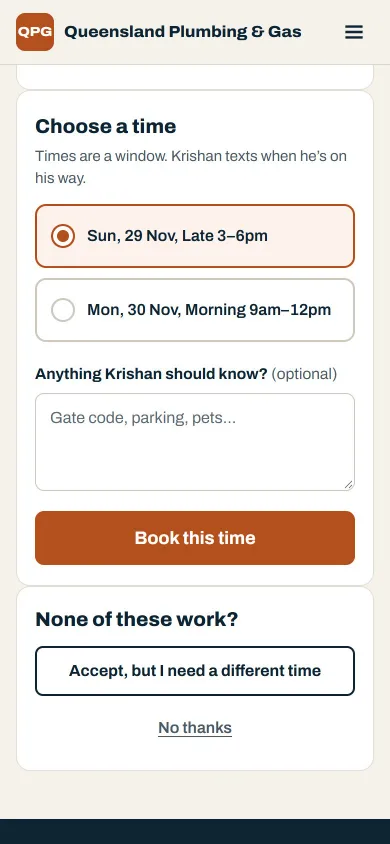
Sarah gets your note first, then one price including GST and the times you offered. Only times that are still free can be picked. One tap, and the job is in your calendar with her words, the price and a map link. Both of you get a confirmation.
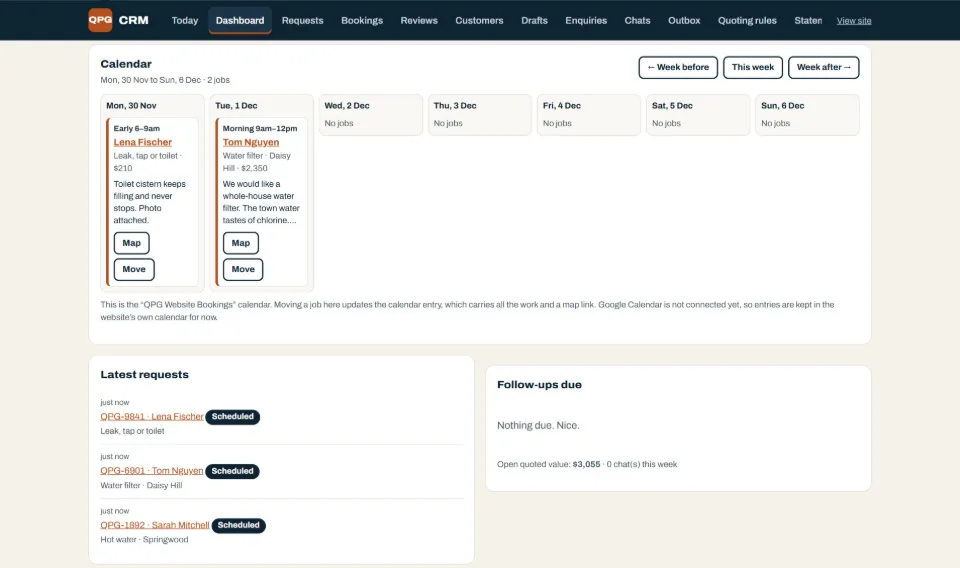
Plans change? Move the job and it stays one booking, the calendar entry moves, and the customer is told the new time automatically.
4 · The day of the job
Your day, on your phone
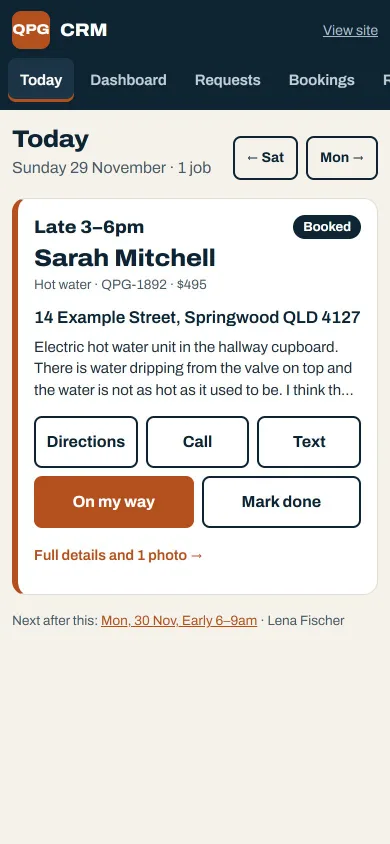
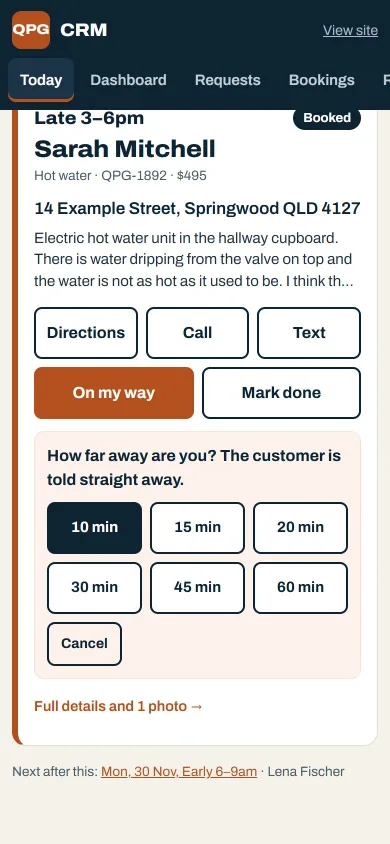
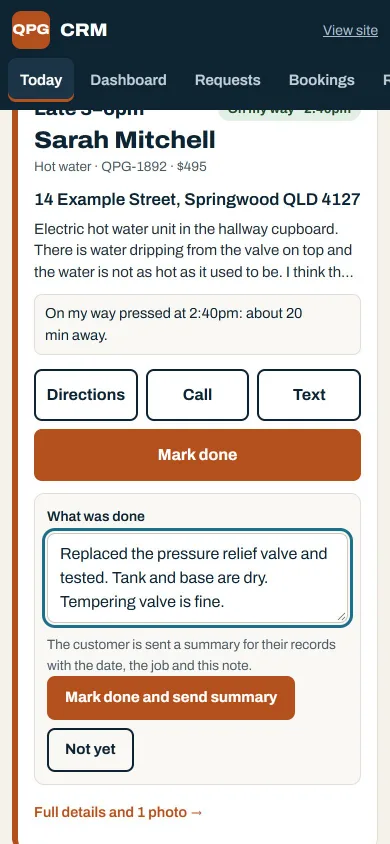
The CRM opens on today: big type, one job per card, with the address and buttons for directions, call and text. One tap of “On my way” texts the customer an arrival time. It only works on the day of the job and only once, so a slip of the thumb can't message the wrong person.
Finished? Write a line about what you did. The customer gets it as a summary for their records.
5 · After the job
Reviews you can trust, and repeat work
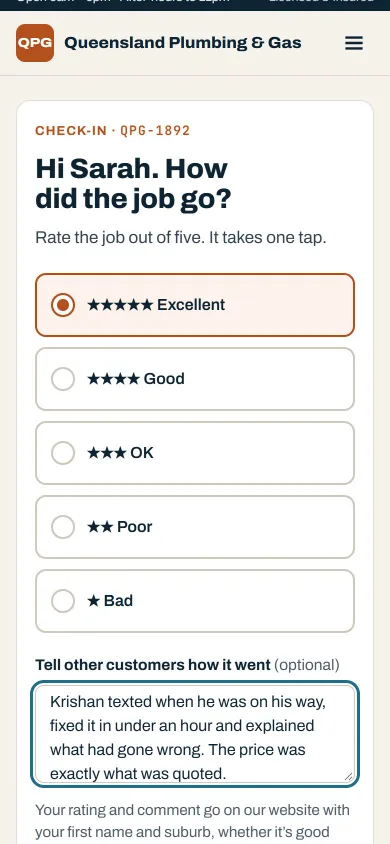
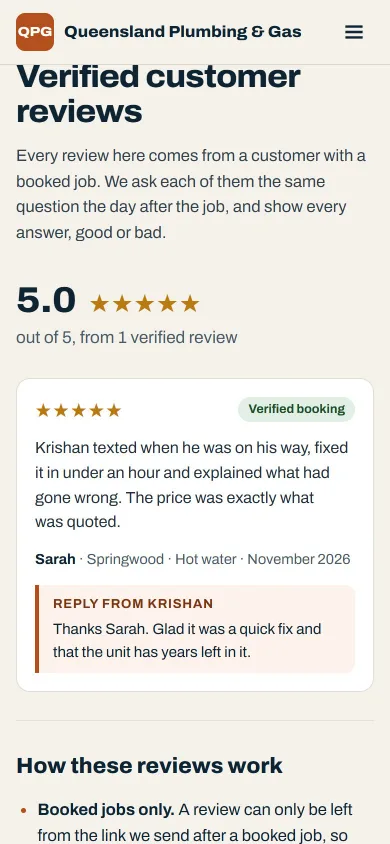
A day later the customer is asked how it went. Only customers with a booked job can leave a review, and low ratings are shown as well as high ones, so the reviews mean something. Months later, a private link books you again with their details already filled in.
6 · Everything on record
Every message, every booking, every change
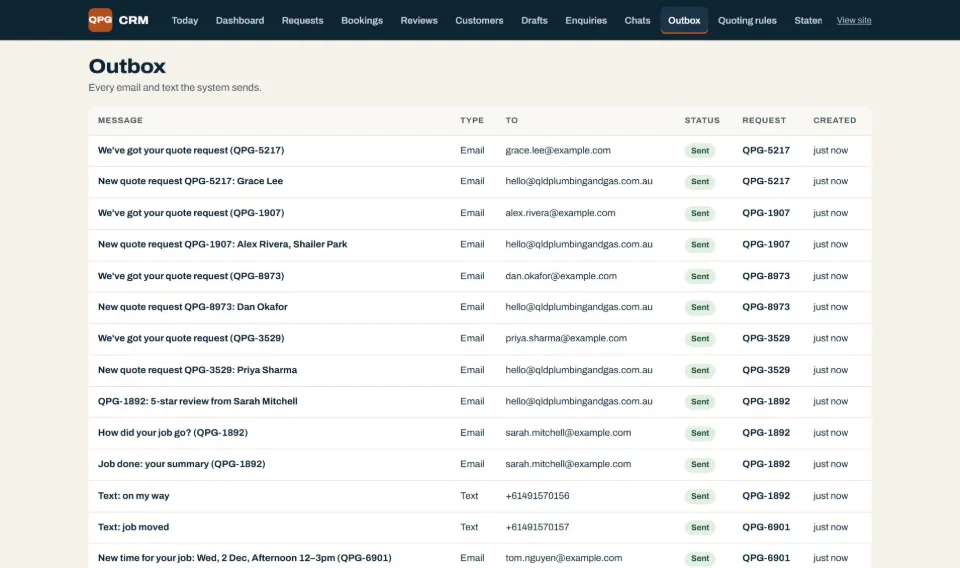
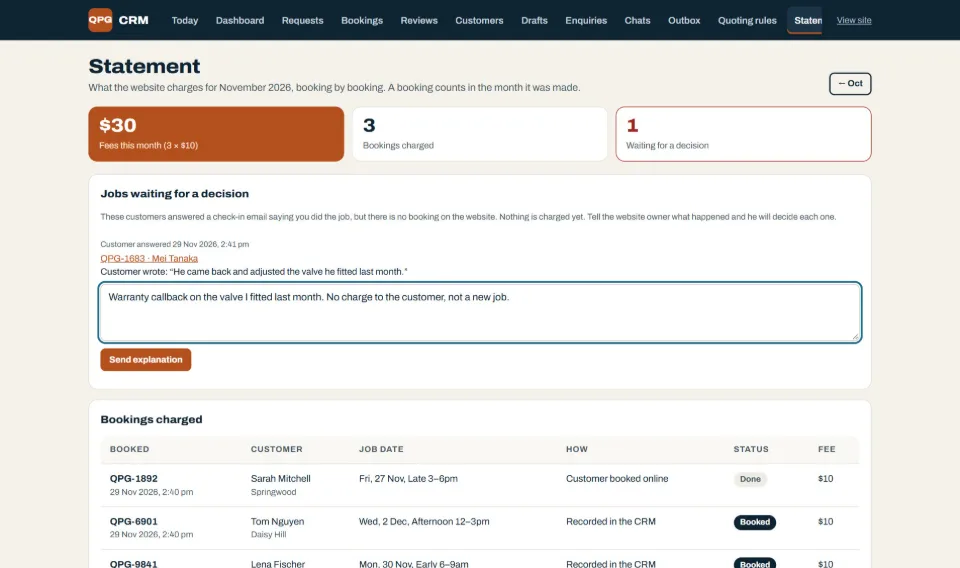
Every email and text the system sends is kept, with who it went to and whether it was sent. Every booking is listed, and bookings are never deleted, even cancelled ones.
Under the hood
Deliberately small, so it keeps working
Fewer moving parts means less to break, less to patch and less to pay for.
Third-party code libraries
Plain HTML, CSS and JavaScript, on Node and its built-in SQLite database. Nothing to install, nothing to patch.
Automated tests
Run by GitHub every time a change is pushed: bookings, billing, the AI limits, permissions and messages.
From change to live
The server checks for new code every two minutes and updates itself. Daily database backups.
Its own server
The plumber's site runs on its own small server in Sydney, not a shared platform, with automatic security updates.
Spam kept out
A small pipe puzzle instead of “click all the traffic lights”, a hidden field robots fill in, and limits per visitor.
Found by search and AI assistants
Fast pages, structured data, and plain-text summaries written for AI assistants.
Want this for your trade?
A 15-minute call. We'll show you the real system and talk through how you quote today.